> For the complete documentation index, see [llms.txt](https://memberarea.docs.intersectmbo.org/llms.txt). Markdown versions of documentation pages are available by appending `.md` to page URLs; this page is available as [Markdown](https://memberarea.docs.intersectmbo.org/guides/identity-verification/did-verification-socious.md).
# DID Verification - SOCIOUS
{% hint style="info" %}
**Tip:** Have your phone and ID ready before starting the process to make it quicker.
{% endhint %}
## Step 3: Start Verification
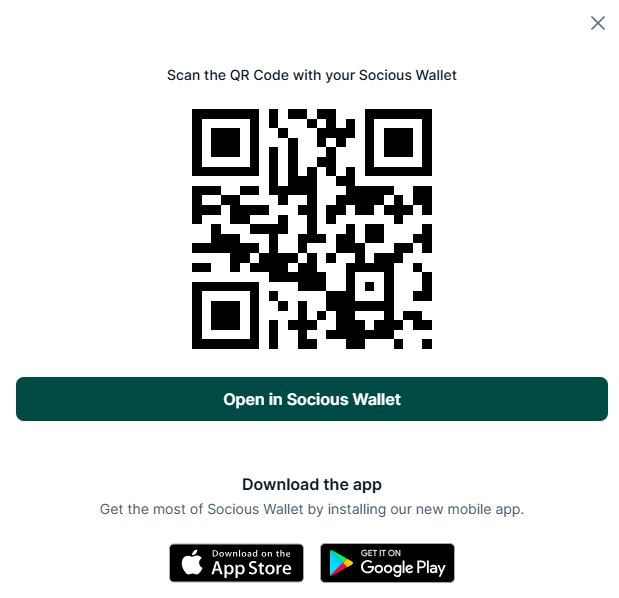
* You will be redirected to the **Socious verification flow**.
* A QR code will appear on your screen.
* Scan the QR code with your phone
* You can download the Socious app and continue the verification steps on your phone.
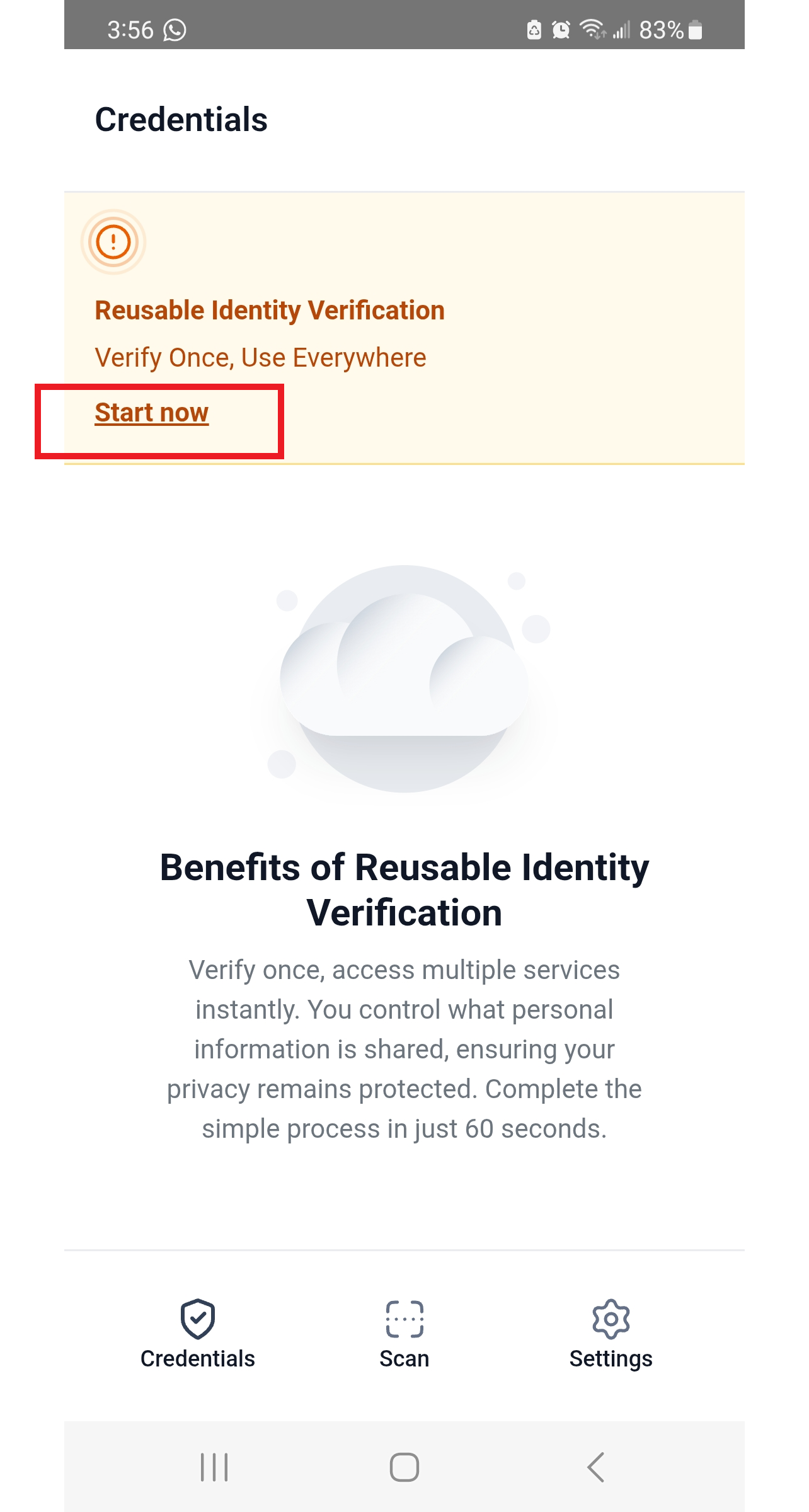
## Step 4: Set up your wallet
* In the Socious app, create your digital wallet.
* Set up a secure passcode to protect your wallet.
* Follow the prompts until your wallet is ready.
* Click on Start now
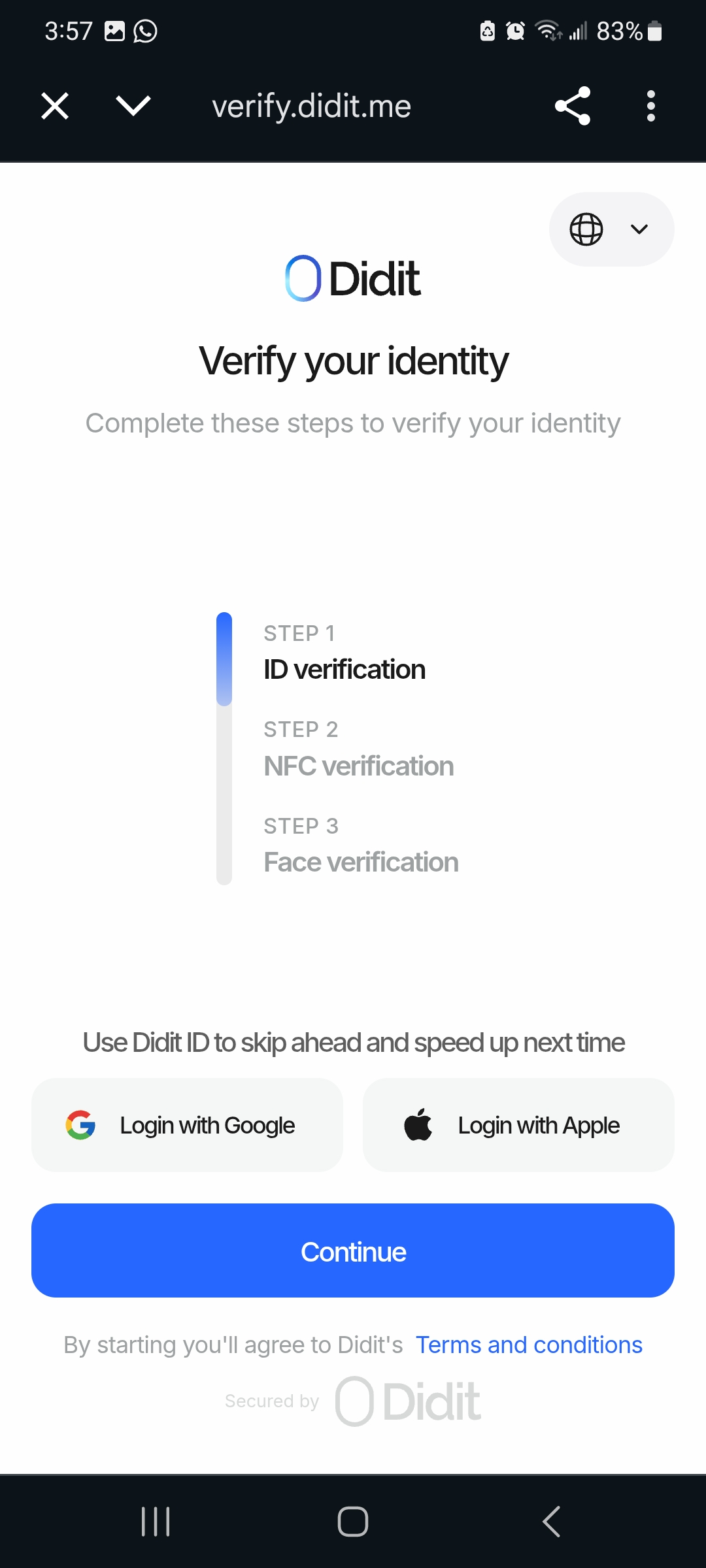
## Step 5: Provide Required Information
* You will be redirected to Didit, click on Continue
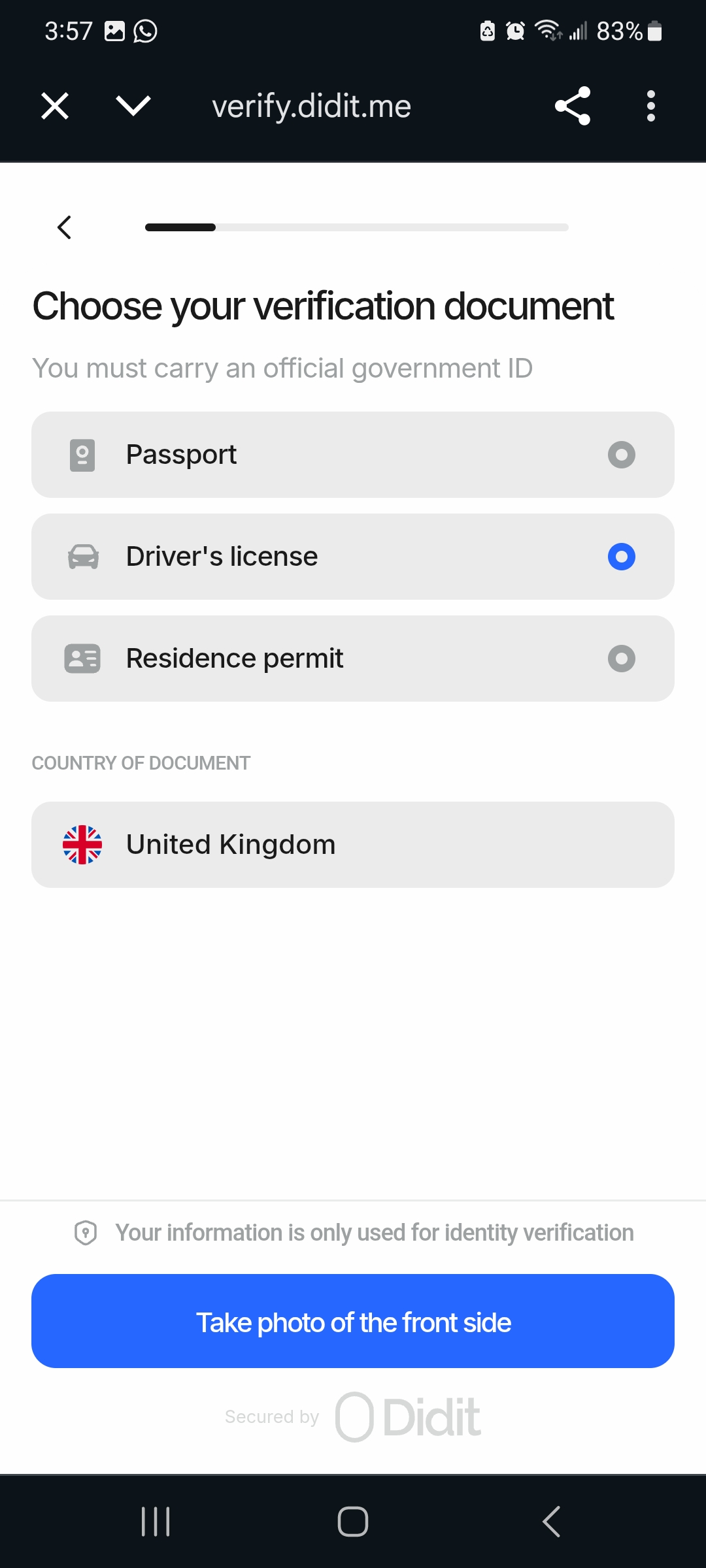
* Upload a **government-issued ID** (passport, national ID card, or driver’s license).
* Take a **selfie** requested by Socious.
* Make sure your document is valid, clearly visible, and not expired
## Step 6: Confirmation
* Socious will process your verification.
* Once approved, you’ll see a confirmation notification on your Intersect account dashboard.